PRODUCT OVERVIEW

Your Windows resources.
One visual workspace.

Open an application or resource file. Find what you need. Edit it visually and prepare resources for your next build.

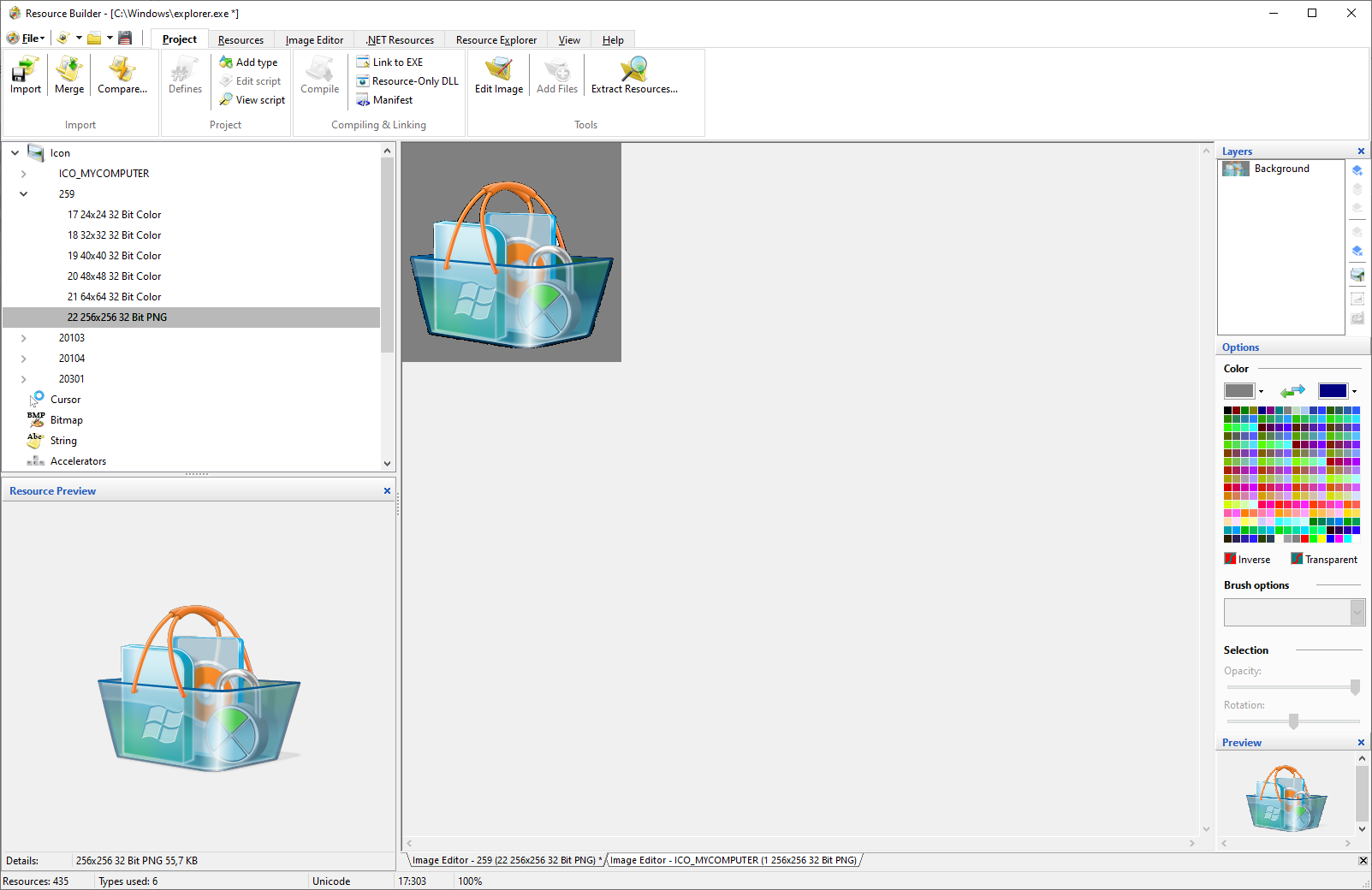
Resource Builder: Main Window
Resource tree · Visual editor · Properties and tools

Explore the resource tree on the left. Work on the selected resource in the editor.

A PRACTICAL WORKFLOW

From opening a file to the next build.

01

Open and explore.

Open EXE and DLL files or work with resource files directly. Browse resource types and select the item you want to change.

02

Edit visually.

Design dialogs. Update strings and version information. Refine icons and bitmaps with dedicated visual editors.

03

Compile and reuse.

Compile RC scripts with the integrated resource compiler. Compare builds and merge selected resource changes into your project.

WINDOWS & .NET

Work across resource formats.

Use native Windows resources and .NET resource files in the same application.

Native Windows

EXE · DLL · RC · RES

.NET resources

RESX · .resources

Edit supported .NET values and convert resources to native RES or RC files.

Try it with your own resource files.

Explore the editors with a 30-day trial.