
Working with RC, RES and PE (EXE, DLL…) files with full Unicode support
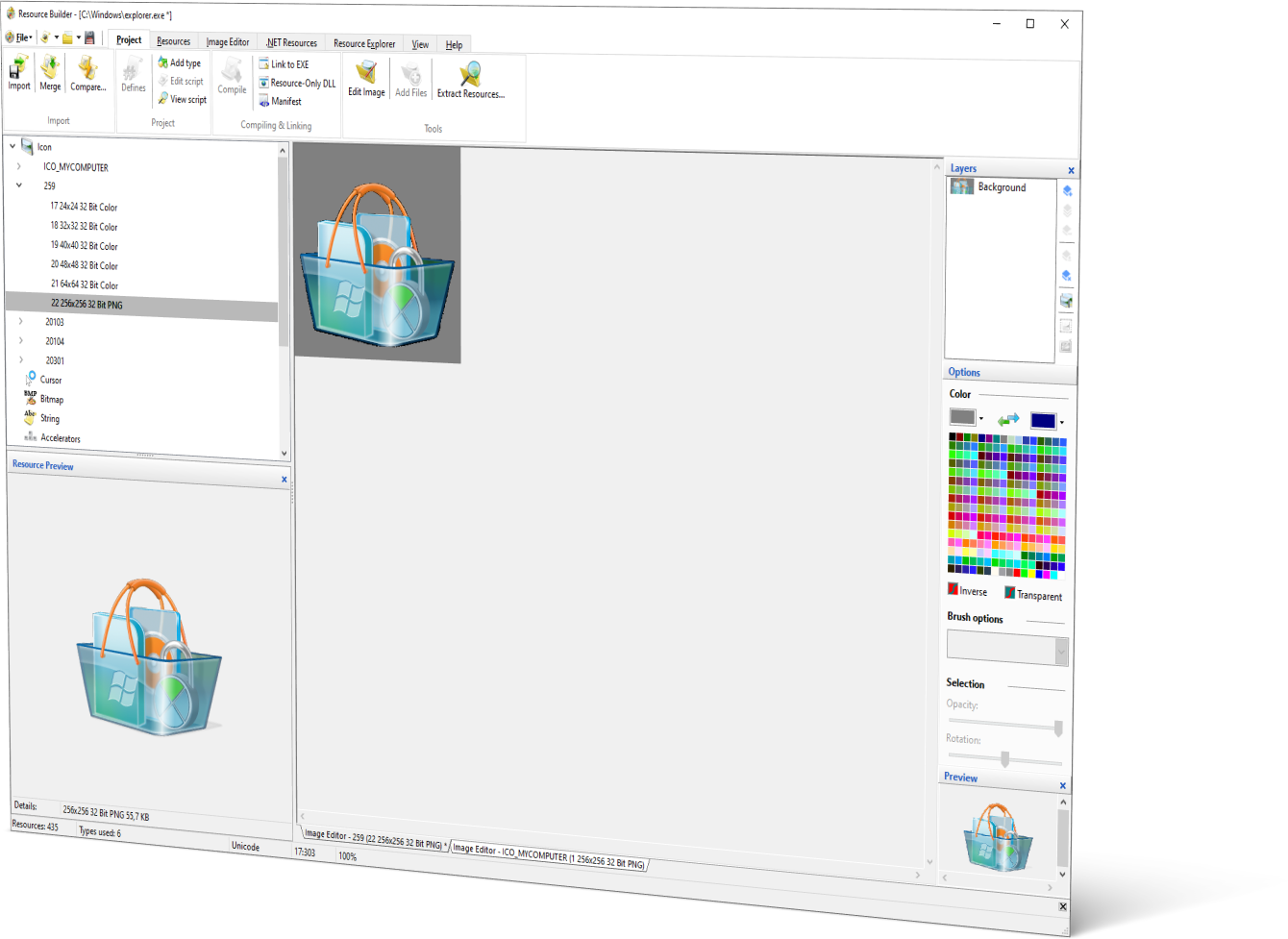
Unlock the power of resource creation and editing with the user-friendly built-in visual editors of Resource Builder. Seamlessly save your resources to RC or RES files for utilization in third-party applications, as well as directly to EXE and DLL files. Furthermore, Resource Builder empowers you to effortlessly select and load specific resources from existing resource files, creating new combinations effortlessly. Need to extract individual resources? Resource Builder has you covered. What sets Resource Builder apart is its unique ability to create, edit, and save Unicode RC scripts, making it the go-to visual resource editor.
Importing resources from files of various formats
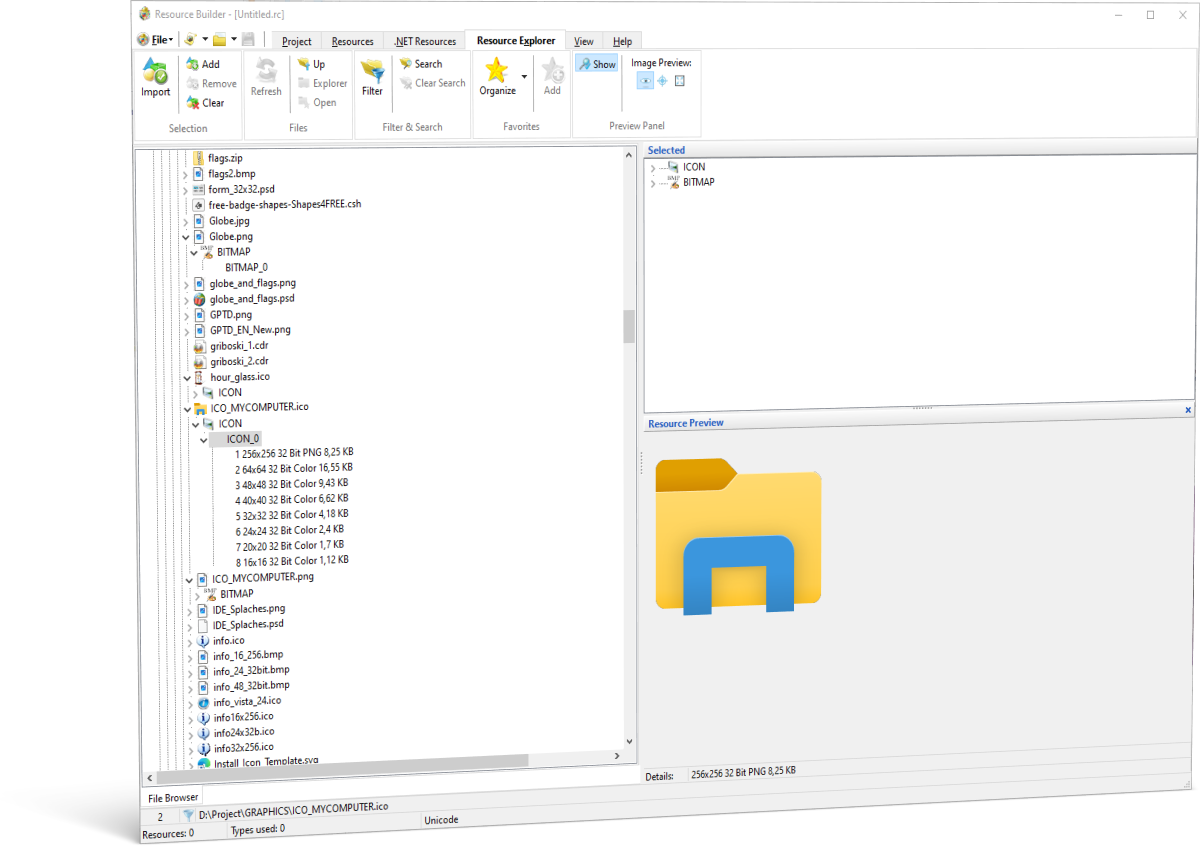
Resource Builder boasts a distinctive feature that sets it apart from the rest: the ability to import resources from Windows executable files (EXE, DLL, etc.), along with support for various file types containing resources. With Resource Builder, you gain the power to restore resources used in your applications, even if you have lost their original sources. Whether it’s 64-bit or 32-bit executable files, Resource Builder has you covered, ensuring compatibility with both.
Image import now goes far beyond BMP and PNG. Bring in SVG files and Resource Builder rasterizes them at the exact size each icon frame needs, so a 16×16 and a 256×256 frame both come out crisp instead of one being stretched from the other. WebP and WBMP are supported too, alongside a long list of additional formats, including Photoshop (PSD/PDD), TIFF, TGA, PCX, PCD, SGI, and more, so you can bring artwork in from almost any source without a separate conversion step.
With the integrated Resource Explorer, you can effortlessly browse and explore resources in other files stored on your PC. It offers a familiar UI similar to Windows Explorer, providing a seamless experience. Additionally, the Resource Explorer offers advanced functionality such as Resource Filtering and Resource Search, making it easier than ever to locate and work with specific resources. Enjoy enhanced resource management and streamline your workflow with this powerful feature.
Support for symbolic IDs
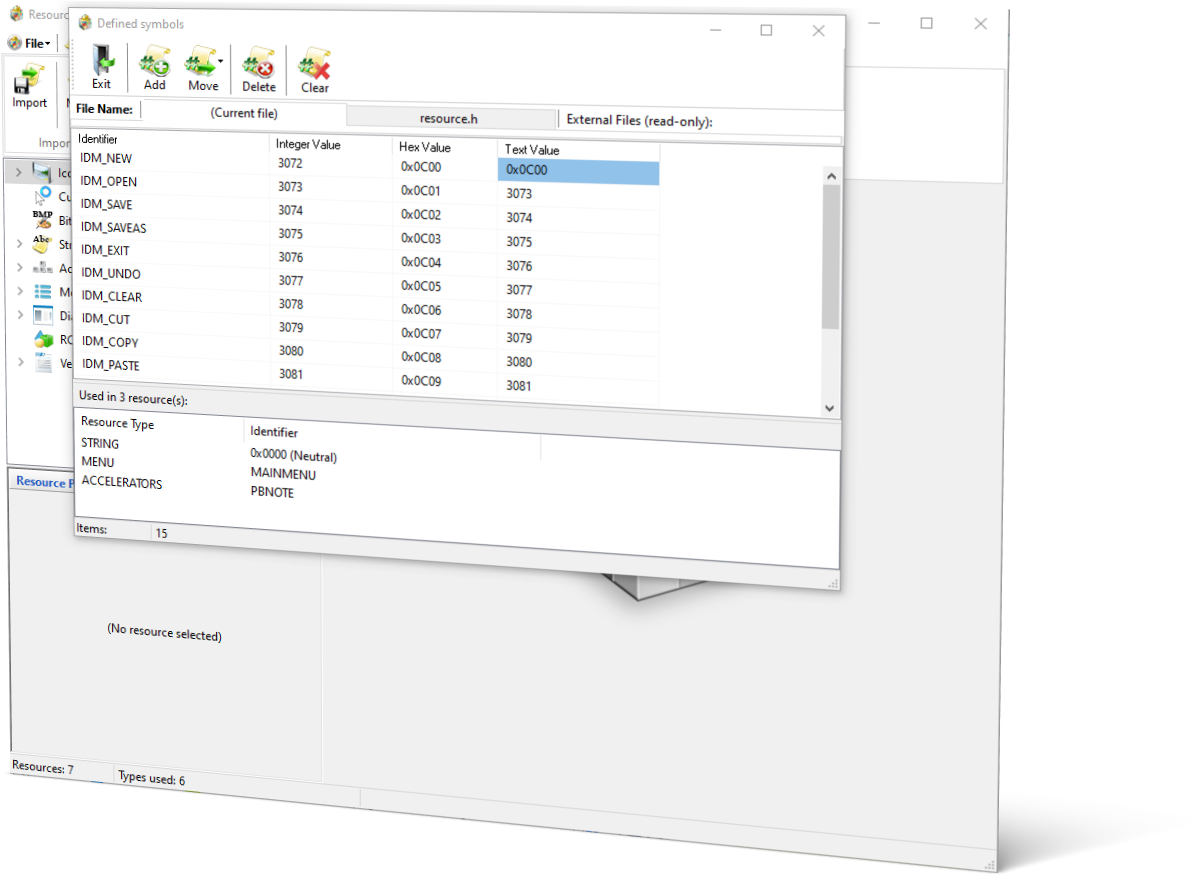
Resource Builder goes above and beyond by supporting symbolic IDs in resource scripts and .h files. This feature enables you to use Resource Builder directly as a resource editor within other development tools. As a result, users of MS Visual Studio Express Edition can enjoy nearly the same advantages as users of Standard Editions. Additionally, users of other development tools can leverage Resource Builder’s feature-rich and user-friendly editors as replacements for the standard resource editors provided by their respective tools. This seamless integration empowers developers to maximize their productivity and enhance their resource editing experience across various development environments.
WYSIWYG Visual dialog resource editor
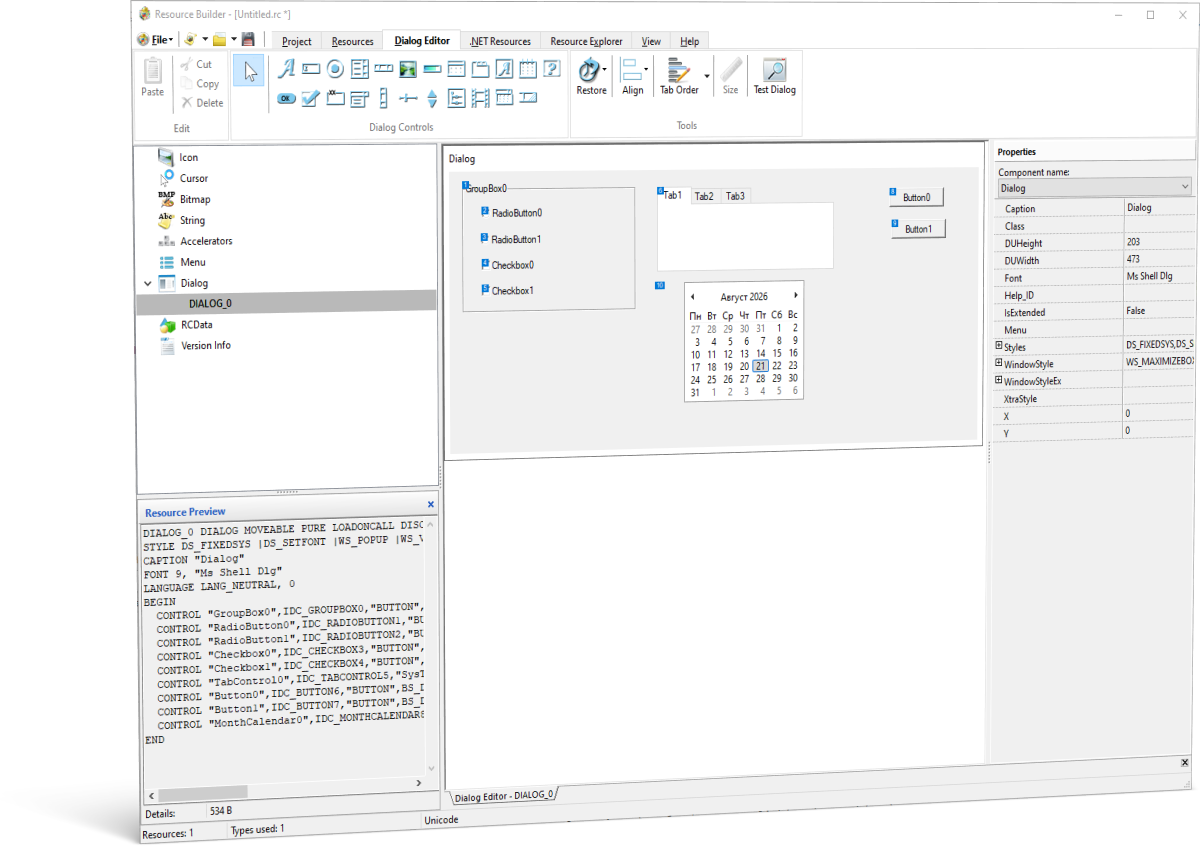
Achieving your desired result is as simple as a few mouse actions and editing a couple of values in the Properties column. Resource Builder streamlines the process for developers, providing a toolbar equipped with all common Windows controls, including labels, buttons, checkboxes, and more. Placing these controls onto your form is a breeze – all it takes is a couple of mouse movements. Enjoy the convenience and efficiency of Resource Builder as it simplifies the development experience for you.
A Real Multi-Layer Image Editor
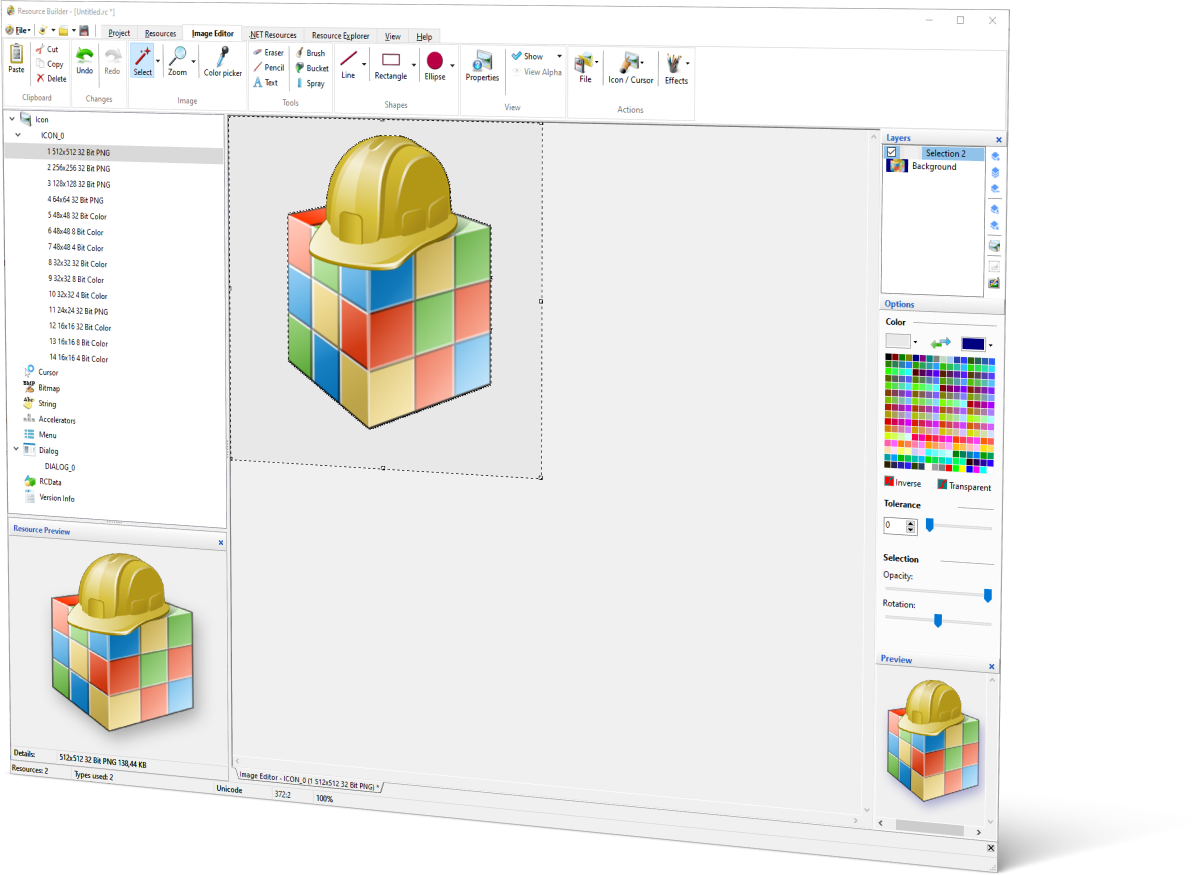
The built-in Image Editor now supports real, independent layers instead of a single editable surface. Work with a docked Layers panel, complete with live thumbnails, visibility toggles, and drag-to-reorder, and use New, Duplicate, Delete, Merge Down, and Merge Visible to organize your work exactly the way you would in a dedicated image editor. Every drawing tool, selection tool, and effect (Bevel, Sharpen, Emboss, Gaussian Blur) applies to whichever layer is active, and undo/redo tracks every layer, not just one.
You can even import a layered Photoshop (PSD) file directly. Each layer in the source file becomes its own real, independently editable layer in the Image Editor, with name, opacity, and visibility carried over automatically.
Selection tools go well beyond the original rectangle and lasso: Ellipse selection, a tolerance-based Magic Wand for contiguous flood-fill selection, Invert Selection, and Grow, Shrink, and Border for refining an existing selection’s edges. Layers still flatten down to a single image when you save, so there’s no new resource format and no compatibility concerns for the files you produce.
Patching and updating
Resource Builder empowers you with the capability to update, patch, and modify resources directly within executable files, including applications and dynamic-link libraries (DLLs), all without the need for recompilation.
Full .NET Resource Editing
Resource Builder can now open, edit, and save .resx and .resources files directly, using the same tree view and per-type editors you already use for native resources. Add, rename, delete, and edit Bitmap, Icon, Cursor, String, Boolean, and numeric entries with the same visual tools throughout the rest of the app, right down to reusing the multi-size Icon/Cursor wizard for native projects. Anything outside that set round-trips safely as opaque data, so nothing in a file you didn’t touch is ever silently dropped or corrupted.
Need to move between the .NET and native worlds? Convert a .resx to .resources (or back), or convert either one straight into a native .res or .rc file, with Bitmap/Icon/Cursor entries becoming real native resources and everything else preserved byte for byte as named RCDATA. This conversion is available both in the GUI and from the command line.
Compare and Merge Resources
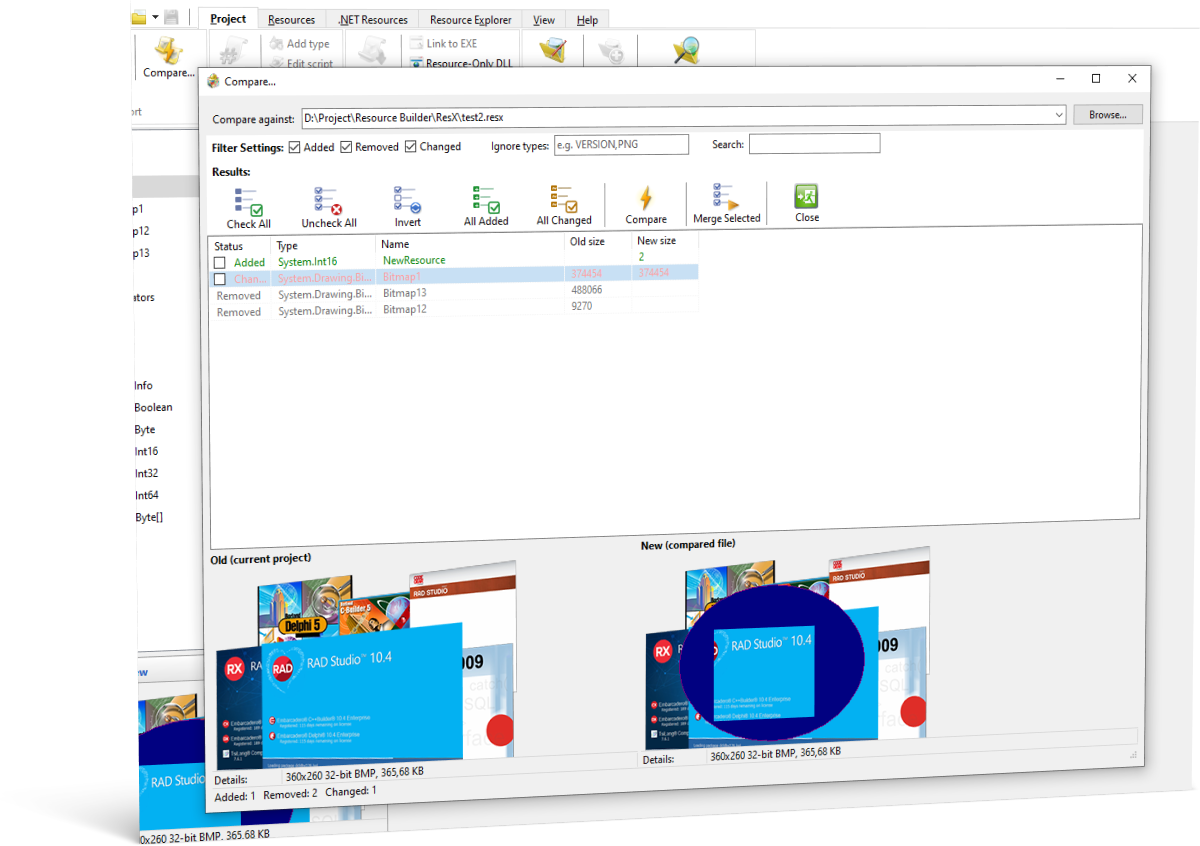
Catch a dropped icon, a changed dialog, or a missing string before it ships. The Compare dialog diffs your open project against any other .res, .rc, .exe, .dll, .resx, or .resources file and shows exactly what was added, removed, or changed, with correct grouping for multi-size icons and cursors, side-by-side previews, and selective merge of just the differences you want to keep.
The same comparison is available from the command line, so you can wire a resource-regression check straight into your build or CI pipeline, with options to fail the build if a resource goes missing or a string disappears from inside a string table.
Bulk Resource Extraction
Point Resource Builder at a list of files or folders (wildcards included) and it will scan every one for embedded resources and pull them out as individual external files in one pass. Icons and cursors are reassembled into real, standalone .ico/.cur files, bitmaps come out in their original format, and everything else is written out sensibly. Available as a GUI dialog for one-off jobs, and from the command line for scripting large recovery or migration tasks.
And more...
Resource Builder offers an array of valuable features that cater to both beginners and experienced developers. With support for HTML, XML, and ANI resources, you can easily incorporate these formats into your projects. The built-in resource compiler simplifies the compilation process, ensuring smooth integration of your resources. Furthermore, Resource Builder supports a command-line interface with wildcard and multi-file batch processing, as well as true exit codes for scripts, allowing advanced users to automate tasks and streamline their workflows.
As you delve deeper into Resource Builder, you’ll uncover a plethora of other remarkable features that enhance your resource management experience. From intuitive UI design to extensive resource editing capabilities, Resource Builder is an indispensable tool for developers at any skill level. Whether you’re just starting or have years of experience, Resource Builder empowers you to create, modify, and manage resources with ease and efficiency. Discover the full potential of Resource Builder as you embark on your resource editing journey.